
Feedback capture grid
Straight after a test, sort what you saw and heard into four boxes, attach the evidence, and leave knowing what to ask next.
- Time
- 25 min
- People
- 4–6
- Kind of work
- Test

In short
A feedback capture grid is a simple four-part sheet for reviewing a real test: what worked, what failed, what questions remain and what new ideas came up, with evidence beside each entry. The team fills it in together right after testing, separating observations from suggestions and turning uncertainty into the next question.
What it is
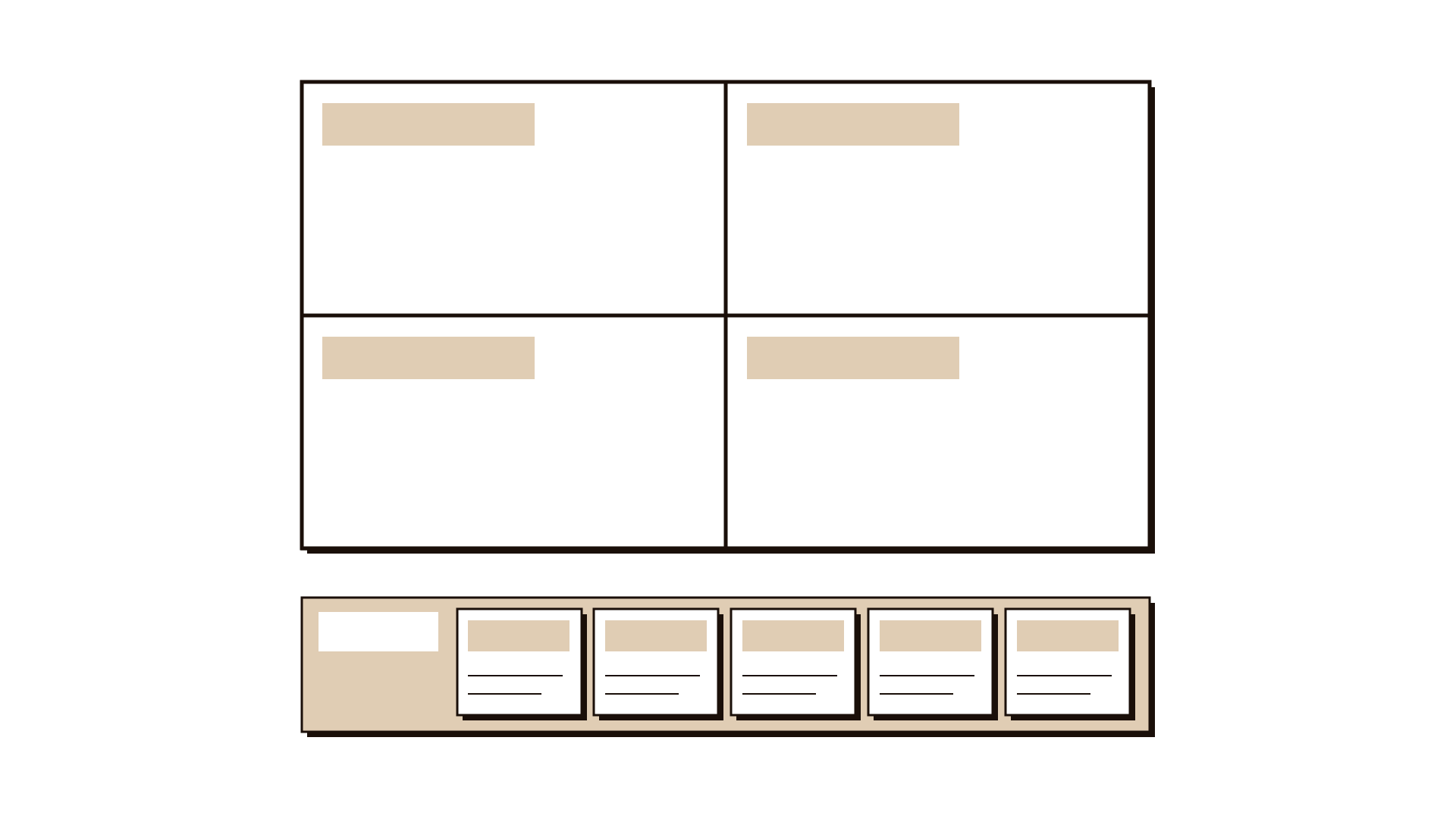
After a prototype session, a pilot day or a round of usability tests, a team usually has pages of notes and a lot of opinions. The feedback capture grid gives that material a shape. It has four boxes: Worked, Failed, Question and Idea. A fifth strip, Evidence, records where each entry came from, so a claim can be traced back to something that actually happened.
The grid does two jobs. It separates what people did and said from what the team now wants to do about it, which stops a test review from turning into a design meeting. And it makes uncertainty visible. The Question box is often the most valuable one, because it tells you what the next test needs to find out.
When to use it
Use it when
- Right after a usability test, prototype session, pilot or concierge test, while memories are fresh.
- When several people observed the same test and you want one shared record.
- When feedback is mixed and the team risks hearing only what it hoped for.
- When you need to decide what to change and what to test next.
Skip it when
- Nothing has been tested yet; the grid only works on evidence from a real test.
- You need a detailed task-by-task analysis of a usability round; use the usability worksheet first and summarise in the grid.
- The review is about how the team worked together; a retrospective fits that better.
You need
- Time
- About 25 minutes, ideally within a day of the test.
- People
- Four to six people who observed or ran the test, plus one facilitator.
- Materials
- A wall or board drawn into four boxes with an evidence strip, sticky notes in two colours, pens, and the session notes or recordings.
How to run it
Step 1: Draw the grid and name the test
Draw four boxes labelled Worked, Failed, Question and Idea, with a strip below for Evidence. Write at the top exactly which test you are reviewing: what was tested, with whom, when. One grid per test keeps feedback from mixing.
Step 2: Write observations alone first
Give everyone five minutes to write observations on sticky notes, one per note, in silence. Each note should describe something seen or heard, such as "Two of five people asked where to pay". Use one colour for observations.
Step 3: Place notes in Worked and Failed
Each person reads out and places their notes. Worked holds things that helped people succeed; Failed holds things that caused confusion, errors or drop-outs. Group duplicates. Keep judgements out: describe what happened, not how good it was.
Step 4: Attach the evidence
For each note, add a short reference in the Evidence strip: which session, which participant number, which moment or quote. A note with no evidence is moved aside to check, not deleted.
Step 5: Capture questions
Ask: what are we still unsure about after this test? Write each uncertainty as a question in the Question box, such as "Do people miss the fee because of its position or its wording?" These are often more useful than the answers.
Step 6: Collect ideas separately
Now invite suggestions, from participants or the team, in the second colour, and place them in the Idea box. Keeping ideas until last stops the group from jumping to fixes before it agrees on what happened.
Step 7: Pick the next question to test
Agree the one or two questions that matter most and who will design the next test. Photograph the grid and share it with the wider team the same day.
Worked example
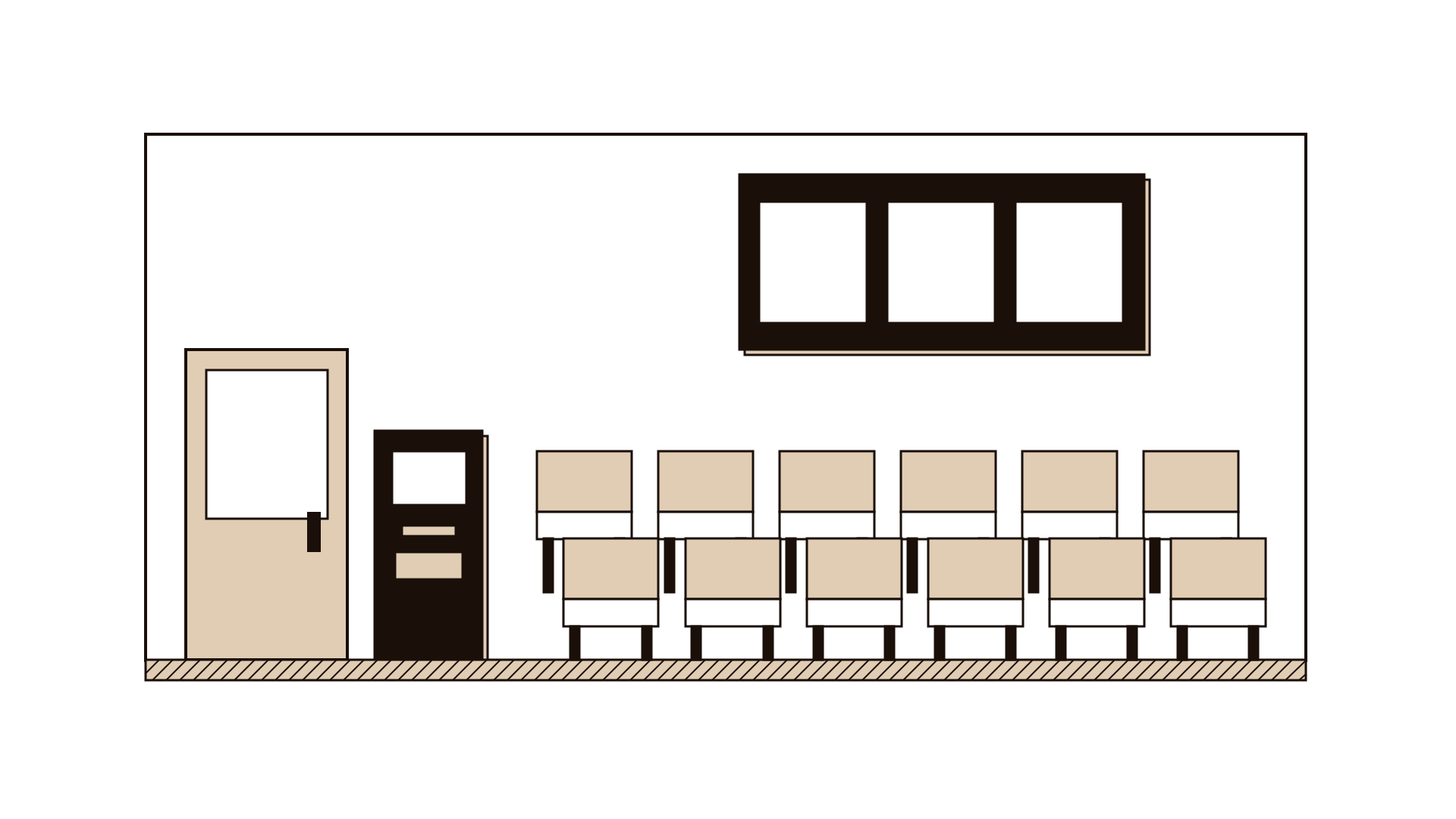
A hospital outpatient department tested a new check-in kiosk and number screen in its waiting area for one morning. Four staff watched about 60 patients use it. They met in the afternoon to review with a feedback capture grid.
Worked: most patients with an appointment letter scanned it and got a number within a minute. Evidence: an observer timed 20 check-ins, and 17 took under a minute.
Failed: older patients without a letter queued at the reception desk anyway, and the number screen on the far wall was hard to read from the back rows. Evidence: 11 patients went to the desk; three asked staff what their number meant.
Question: would patients without letters use the kiosk if it offered a lookup by phone number? Do people in the back rows miss their number, or just feel unsure?
Idea: add a second screen near the back rows; let staff call out numbers for the first week. The team chose to test the phone number lookup with a paper prototype the next week.
IllustrativeTips and mistakes
Tips
- Hold the session within 24 hours of the test, before memories turn into stories.
- Use participant numbers, not names, in the evidence strip.
- Count how many people a note applies to; "3 of 5" is clearer than "some".
- If the Question box is empty, ask again; every useful test leaves something open.
- Keep the grid next to the next test plan so the link between them is obvious.
Common mistakes
- Mixing ideas into the Worked and Failed boxes, so the review becomes a list of fixes.
- Writing opinions, such as "the design is confusing", instead of what was observed.
- Letting the most senior person speak first, so others shape their notes to match.
- Throwing the grid away after the meeting instead of using its questions to plan the next test.
What you walk away with
You walk away with one shared, evidence-backed record of a real test: what worked, what failed, what you still do not know, and the ideas worth trying. Most importantly, you have one or two sharp questions for the next round. Turn the strongest question into a hypothesis test, or plan another moderated usability test to check whether your changes fix what failed.
Questions people ask
What are the four parts of a feedback capture grid?
The four boxes are usually what worked, what failed or could be improved, questions the test raised, and new ideas. This version adds an evidence strip so each entry can be traced back to a session, a participant or a quote.
Can participants fill in the grid themselves?
Yes. At the end of a session you can ask a participant to give one or two notes for each box. It works well in workshops or pilots. Keep their notes in a different colour from the team's, so you can tell feedback from interpretation.
How is a feedback grid different from a retrospective?
A feedback grid reviews what you learned about the thing you tested. A retrospective reviews how the team worked, such as planning, roles and communication. You might do both after a pilot, but keep them as separate conversations.
Tool card
The worksheet your team fills in, one box per field.
- Worked
- Failed
- Question
- Idea
- Evidence