
Pareto analysis (Pareto chart)
Count events the same way, rank categories from most to least frequent, and look first where most of the problem sits.
- Time
- 45 min
- People
- 3–5
- Kind of work
- Understand · Choose

In short
Pareto analysis is a quality method that ranks categories of a problem by how often they occur, then shows their cumulative share. To run it, a team counts events consistently over a fixed period, sorts categories from largest to smallest, draws the bars and cumulative line, and investigates the biggest contributors without assuming an exact 80/20 split.
What it is
Pareto analysis is named after the economist Vilfredo Pareto, who noticed that a small share of people held most of the land in Italy. The quality pioneer Joseph Juran later applied the idea to defects, calling it the vital few and the useful many. In most problems, a few categories account for a large share of what goes wrong.
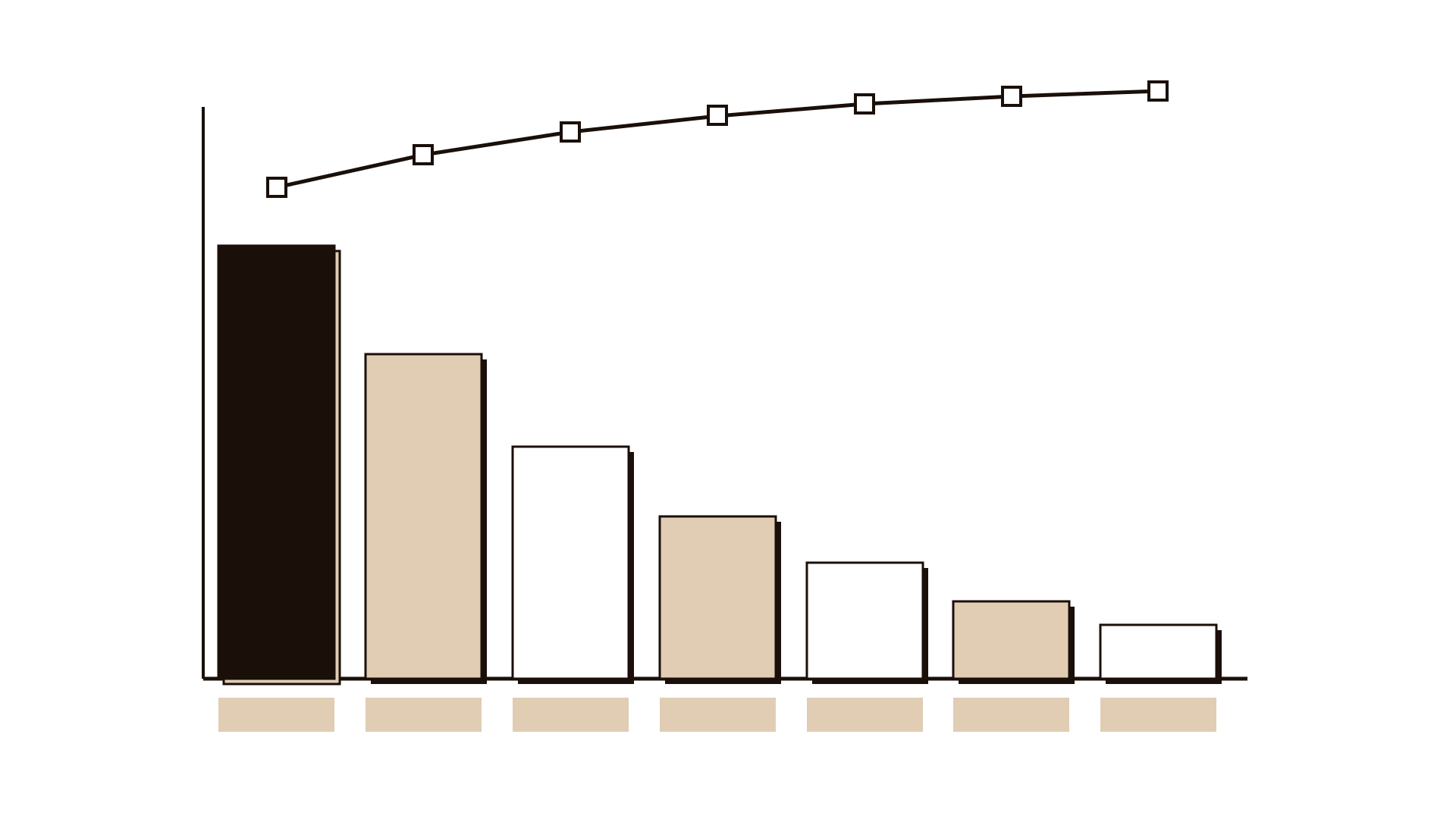
The tool is a bar chart with categories sorted from tallest to shortest, plus a line showing the running total as a percentage. It is honest and quick, and it settles arguments about where to start. The 80/20 rule is a reminder, not a law. Sometimes the top three categories cover 60 percent, sometimes 90. The chart shows you the real split for your data.
When to use it
Use it when
- You have many complaints, defects or errors and need to decide where to start.
- People disagree about which problem is biggest and there is data to settle it.
- You want to show leaders why one improvement should come before another.
- You need a before-and-after view to check whether a fix made a difference.
- You have finished a fishbone and want to know which cause appears most often.
Skip it when
- Events are not counted consistently, so the ranking would reflect recording habits.
- A rare event is very severe; frequency alone would hide it, so use a failure modes analysis.
- You have fewer than about 30 events, which is too few for a stable ranking.
You need
- Time
- 45 minutes once the data is extracted; longer if categories need cleaning.
- People
- 3–5 people: someone who owns the data, someone who knows the work, and a facilitator.
- Materials
- A list of events with a category for each, a spreadsheet, and a printed or shared chart.
How to run it
Step 1: Define the event
Agree exactly what you are counting. For example: a complaint received about residential parking permits. Write down what counts and what does not, so everyone sorts the same way.
Step 2: Fix the period
Choose one period long enough to be fair, such as the last three or six months. Use the same period for every category.
Step 3: Agree the categories
Use existing categories if they are reliable, or create 6 to 10 clear ones. Check a sample of 20 events together to make sure people put them in the same category.
Step 4: Count and rank
Count events per category and sort from largest to smallest. Group very small categories into one other bar, but keep it under 10 percent of the total or the categories need rethinking.
Step 5: Draw the chart
Draw bars from tallest on the left to shortest on the right. Add a line for cumulative share. Label each bar with its count and share, so the chart can be read without the spreadsheet.
Step 6: Read it together
Ask where the line bends. Which few categories cover most of the events? Check for anything severe hiding in a small bar. Note any category that looks odd because of how it was recorded.
Step 7: Choose where to dig
Pick the top one or two categories to investigate. Plan the next step, such as a fishbone or five whys for each. Agree when you will redraw the chart to check the effect.
Worked example
A city transport department received a rising number of complaints about residential parking permits.
Four people pulled six months of complaints: 412 in total. They agreed to count each complaint once, under its main issue.
They tested the categories on 20 sample complaints. Two people placed renewal reminder complaints under renewals and two under communication, so they merged these into one category.
The ranked chart showed permit not received after payment at 158, wrong zone letter printed at 96, and renewal reminders at 61. Together these covered 77 percent of complaints.
A small bar for disabled badge holders unable to apply online had only 14 complaints, but the team flagged it as serious and passed it to the accessibility lead.
The team ran a five whys on the permit-not-received category and found that the print batch ran weekly. Moving to a daily batch cut that category by more than half in the next quarter.
IllustrativeTips and mistakes
Tips
- Test your categories on a sample before counting everything.
- Show the counts on the bars, not only percentages; people trust real numbers.
- Redraw the chart after a fix using the same categories and period length.
- Look at small bars for severity before you ignore them.
- Keep the other bar small; a big other bar means the categories need work.
Common mistakes
- Assuming an exact 80/20 split and stopping after the first bar.
- Mixing periods or definitions across categories.
- Treating frequency as the only measure of importance.
- Using categories so broad that the top bar tells you nothing new.
What you walk away with
You leave with a ranked chart showing where most of the problem sits, a short note on categories and limits, and one or two categories chosen for deeper study. Use a fishbone analysis or five whys to find causes within the top category, then redraw the Pareto chart to check the effect.
Questions people ask
How long does a Pareto analysis take?
About 45 minutes once the data is extracted. Cleaning and agreeing categories can take longer the first time.
Is the 80/20 rule always true?
No. It is a common pattern, not a rule. Your data might show the top categories covering 60 or 90 percent. Read the actual line rather than assuming.
Pareto chart vs fishbone diagram: when do I use each?
A Pareto chart shows which categories occur most often. A fishbone helps you find possible causes behind one problem. Many teams use the Pareto first to pick a problem, then a fishbone to explore it.
Tool card
The worksheet your team fills in, one box per field.
- Category
- Count
- Period
- Share
- Cumulative share